





WhatsApp Appointment Booking Bot: Booked, Confirmed, Reminded — in Arabic
For clinics, salons, gyms, consultants, and real-estate viewings. Books into your calendar, confirms, reminds the day before, reschedules on request, and collects a deposit through a payment link. From $199/month with $490 setup. Live in two weeks.

Official WhatsApp Business API · 14-day money-back on Starter · 30-day measured report on Growth
What the bot does in a real conversation
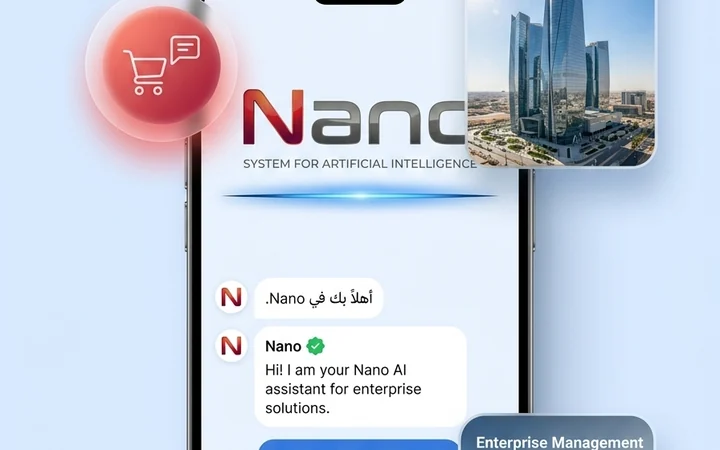
A customer writes "في موعد بكرة العصر؟" and the bot answers with the real open slots from your calendar, not a link to go find them. It asks the two or three things you need — name, service, preferred doctor or stylist — books the slot, and sends a confirmation with the address and a map pin. If your policy requires a deposit, it sends a payment link and holds the slot until it is paid. The day before, it sends a reminder with confirm and reschedule buttons. The whole exchange happens in the customer's dialect, and a human can take over at any point with the full history in front of them.
It runs on the official WhatsApp Business API on your verified number, so it is the same green-tick account your customers already know, and the conversations are yours to keep. Meta's per-message fees are billed at cost and itemized in your monthly report.
Books
Reads live availability from your calendar and books the slot with the details you require.
Confirms
Sends an instant confirmation with time, location, and preparation notes, and updates your team.
Reminds and reschedules
Reminder at the timing you choose with one-tap confirm; reschedules to another open slot on request.
Collects deposits
Sends a Paymob, PayTabs, or Tabby payment link and only finalizes the booking once it is paid.
Why not just send a booking link or a form?
A booking link asks the customer to leave WhatsApp, open a page, pick a service from a menu, and fill in a form — and every step loses some of them. The customer who wrote to you in Arabic at 10 p.m. wanted an answer, not homework. A bot answers the question they actually asked, in the words they asked it, and the booking is a by-product of the conversation. It also handles what a form cannot: "can I come a bit earlier?", "is Dr. Sara in on Thursday?", "my daughter needs one too", and "I have to cancel" — all without a human reading the message first.
A link still has its place. If most of your bookings come from a website or an Instagram bio, keep the link; the bot sits behind WhatsApp for the customers who message instead. Where the bot clearly wins is the follow-through: a link cannot chase a confirmation the day before, cannot move an appointment when the customer replies "ممكن الأحد بدل السبت؟", and cannot offer a freed slot to the next person waiting. Those three things are where the no-show and revenue difference comes from, and they are exactly what a static page never does.
The honest comparison is on cost, too. A booking link is cheap or free; the bot is from $199 a month with $490 setup on Starter, or $400 a month with $1,350 setup on Growth. It pays for itself only if you have enough appointments, enough no-shows, or enough unanswered WhatsApp messages for a booking captured or a slot saved to be worth more than the fee. On the intake call we look at your volume and tell you which side of that line you are on.
Reminders that get answered, and what happens when they don't
A reminder works when replying to it is easier than ignoring it. The bot sends the reminder at the timing you set — most businesses choose 24 hours before, and some add a second one on the morning of — with two buttons: confirm, or reschedule. Confirming is one tap. Rescheduling opens the next available slots right there in the chat. Cancelling is allowed under whatever policy you set, including a deposit that is forfeited or a fee that is charged through the same payment link.
When the customer does not answer, the appointment is flagged, not forgotten. Unconfirmed bookings show up on a list your team sees a few hours before the visit, so a receptionist can call the ones that matter. When a customer reschedules or cancels, the freed slot can be offered automatically to the people on your waitlist, oldest request first. Your monthly report shows confirmation rate, reschedule rate, and no-show rate by day and by staff member. We publish no benchmark for how much no-shows fall, because we have no consented client data to cite yet — the report shows your own before-and-after numbers instead.
Built for businesses that live by the calendar
The bot is configured to your booking rules, not a generic template: service durations, staff availability, rooms or chairs, buffer times, deposits, and cancellation windows. The same engine fits several kinds of business.
Clinics and dental practices
Books by doctor and visit type, collects the visit reason, reminds and confirms, and hands anything clinical to a human. Pairs with our Arabic voice line for the phone.
Salons and aesthetic centers
Books by stylist or specialist and by service duration, takes a deposit on long sessions, and reminds the day before.
Gyms and studios
Books classes and personal-training slots against capacity, manages waitlists, and confirms trial sessions for new leads.
Consultants and real-estate viewings
Qualifies the request with a few questions, books the consultation or viewing, shares the location, and reminds both sides.
Syncs with your calendar, payments, and CRM
Google Calendar is connected out of the box, so a slot booked on WhatsApp appears instantly for your team and a slot blocked by your team disappears instantly from the bot. Clinic management and booking systems that expose an API are connected during setup so that the bot, your front desk, and any existing booking page all draw from one availability source. Closed or custom systems are scoped separately as fixed-price integration work, and the bot starts on a shared calendar in week one while that is built.
For deposits and fees the bot sends links from Paymob, PayTabs, or Tabby, depending on your country and your existing merchant account; we integrate with the provider you already use and do not resell or price their services. Contacts and bookings can sync to HubSpot or Zoho if you run a CRM, and human handoff lands in your existing inbox with the full conversation attached. Integrations — calendar, clinic software, payment links, CRM — are part of the Growth tier; Starter runs the booking conversation on the hours and rules configured in the bot itself. Every integration is written into the scope before you sign, with what is included and what is quoted separately.
Live in two weeks, measured for thirty days
Days 1–3: a 45-minute intake call to capture your services, staff, hours, rules, deposit policy, and reminder timings; calendar access; and Meta Business verification for your WhatsApp number. Days 4–10: we build the bot on the official WhatsApp Business API, connect the calendar, and run it against golden-set dialect evaluations — Najdi, Hijazi, Emirati, Egyptian, and Arabizi — plus guardrail tests, then give your team staging access to try to break it. Days 11–14: go-live on your number, fully instrumented from the first message.
Then the decision window. On Starter you have 14 days from go-live to keep it or get your money back. On Growth the next thirty days are measured, and on day 30 you receive a report of bookings made by the bot, confirmation rate, reschedule and cancellation rates, no-show rate, deposits collected, and handoffs to your team, with the reasons; if we cannot produce that instrumented report, the setup fee is refunded. After that, the Growth monthly fee covers unlimited conversations, tuning against your real transcripts every month, template updates when Meta changes its rules, and the report — every month.
Pricing
Same published prices as our WhatsApp AI agents — the booking bot is that product configured for appointments. Start on Starter; move to Growth when you need integrations and the measured report.
1 agent on 1 channel (your WhatsApp number on the official API): booking, confirmation, reminders, and rescheduling on the hours and rules configured in the bot, Arabic/English with dialects, and human handoff with full context. 14-day money-back.
Everything in Starter, plus unlimited conversations, integrations (Google Calendar, clinic or booking software, Paymob/PayTabs/Tabby payment links, HubSpot or Zoho), waitlist automation, monthly tuning against your real transcripts, and the day-30 measured report — or the setup fee is refunded.
Starter: 14-day money-back from go-live. Growth: an instrumented report of bookings, confirmations, reschedules, and no-shows within 30 days of go-live, or the setup fee is refunded.
Frequently asked questions
Starter is $199 per month with $490 setup: one agent on your WhatsApp number that books, confirms, reminds, and reschedules, with human handoff and a 14-day money-back guarantee. Growth is $400 per month with $1,350 setup and adds unlimited conversations, integrations (calendar, clinic software, payment links, CRM), monthly tuning against your real transcripts, and the day-30 measured report — or the setup fee is refunded. Meta's per-message fees are billed at cost and itemized in your report. All prices are published; there is nothing to negotiate on the call except scope.
Two weeks to a working bot on your number, 45 days to proven numbers. Days 1–3 cover the intake call, calendar access, and Meta Business verification. Days 4–10 we build the bot, connect the calendar, and run dialect and guardrail evaluations, with your team testing it on staging. Days 11–14 it goes live, fully instrumented. On Starter you then have 14 days to decide, money-back. On Growth the 30-day measured period ends in a day-30 report of bookings, confirmations, reschedules, and no-shows; if that report cannot be produced, the setup fee is refunded.
Yes, on the Growth tier. When your policy requires a deposit, the bot sends a payment link from Paymob, PayTabs, or Tabby — whichever you already use in your country — holds the slot for the window you set, and finalizes the booking only when the payment is confirmed. If the link is not paid in time, the slot is released and the customer is told. Cancellation fees and forfeited deposits follow the policy you write into the bot. We integrate with your existing merchant account; we do not resell payment services or set their fees.
Yes, on the Growth tier: Google Calendar and clinic management or booking systems with an API are connected during setup. Starter runs on the hours and rules configured in the bot itself. On Growth the bot reads live availability and writes bookings to the same calendar your team uses, so there is one source of truth and no double-booking. Closed or custom systems are scoped separately as fixed-price integration work, and the bot starts on a shared calendar in week one while that connection is built. Tell us what you run on the intake call and we will confirm the path before you commit.
It sends reminders with one-tap confirm and reschedule buttons at the timing you choose, flags anyone who does not respond for your team to call, and offers freed slots to your waitlist. Deposits through payment links add a cost to not showing up where your policy allows it. Your monthly report shows confirmation, reschedule, and no-show rates by day and by staff member. We do not claim a percentage reduction, because we have no consented client data to back one yet; the report gives you your own before-and-after numbers.
Always. A customer can ask for a person at any point, and the bot hands the conversation to your team with the full history, so nobody repeats themselves. It also escalates on its own when a request falls outside booking, confirming, rescheduling, and the questions you have approved — a complaint, a medical question at a clinic, or a price negotiation at a real-estate office. Handoffs land in your existing WhatsApp inbox or CRM, and every one is counted in the monthly report with its reason.
No — the bot runs on your existing business number through the official WhatsApp Business API, after Meta Business verification, which we handle during days 1–3. If the number is currently on the consumer or WhatsApp Business app, it is migrated to the API as part of setup and keeps its identity and green tick eligibility. Your team continues to see and answer conversations in an inbox; the bot simply handles the booking flow first. Multi-branch businesses can route several numbers under one setup.
Yes, and we test it rather than claim it. Before launch and after every prompt or model change, the bot is run against a golden set of real dialect utterances — Najdi, Hijazi, Emirati, Egyptian — and Arabizi typed in Latin letters, and you see the evaluation report. It handles code-switching mid-sentence and replies in the customer's register. Booking language is full of dialect — "بكرة", "العصر", "بعد الظهر", "الأسبوع الجاي" — so this is not a nicety; a bot that only reads Modern Standard Arabic will mis-book the appointment.
Try the booking bot on our own WhatsApp
Message our agent and book a 30-minute call through it — that is the demo. From $199 a month with $490 setup, live in two weeks, 14-day money-back on Starter, and a day-30 report or the setup fee back on Growth.
- Free Scoping Call
- Fixed Scope & Quote
- Zero Commitment