






DineEase — Guest Dining Reservations & QR Menus for Hotels
Guests pick your hotel, verify their room, browse each restaurant and its menu, and book a table by date, time, party size, and duration — then get a QR confirmation to show at the door. Bilingual English/Arabic with full RTL, dark and light themes, and every screen feature-flagged per property.

Bilingual EN/AR with RTL · QR confirmations · feature-flagged per property
Fewer no-shows
Room-verified bookings with a clear date, time, party size, and duration — plus a QR confirmation the guest carries to the door — replace guesswork at the host stand.
A zero-friction guest journey
No app to download and no account to create. The guest opens a link, picks a language, verifies their room, and books — a handful of taps from welcome to QR receipt.
Every restaurant in one place
A per-hotel directory puts all your outlets — and their menus — behind one guest experience, so a family can move from the fine-dining room to the all-day café without changing tools.
An Arabic-native guest experience
Arabic is a first-class language, not an afterthought: the whole journey renders right-to-left with a per-guest EN/ع switch, so Gulf guests read menus and confirmations the way they expect.
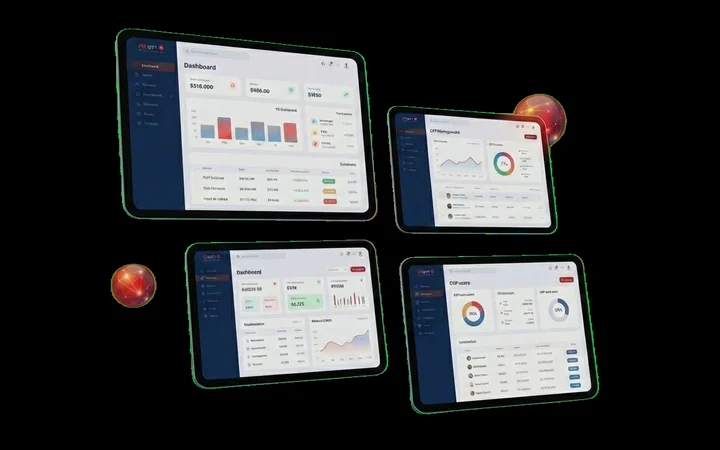
An interface built for daily operations
Illustrative interface preview — sample data shown.
In-stay dining still runs on phone calls and paper menus
A hotel with more than one restaurant asks its guests to work the room the hard way: call the operator, get transferred to the outlet, hope someone picks up, describe the menu over the phone, and give a room number that nobody verifies. Guests who do not speak the front desk's language guess, and walk-ins turn into a queue at the host stand. The F&B team, meanwhile, has no clean record of who is coming, for how many, or for how long — so tables sit empty while guests are turned away.
DineEase replaces that with one guest-facing journey. Because bookings are tied to a verified room and captured with a date, time, party size, and duration, the host stand knows exactly who is expected — and the guest arrives with a QR confirmation instead of an argument.
A dining experience guests actually finish
The whole thing is a link, not a download. A guest opens it, chooses English or Arabic, verifies their room in one step, browses your outlets and their menus, and books a table — arriving at a confirmation screen with a QR receipt. Nothing on the screen is fixed: whether a menu shows, whether prices appear, whether a single-restaurant hotel skips the directory, and whether a family can pre-assign dishes are all flags you set per property, so the same product fits a lobby tablet at a boutique hotel and a full directory at a resort.
Modules & features
Guest booking journey
The end-to-end guest flow — from a welcome screen to a QR reservation receipt — that a hotel guest completes in the browser with no app.
- Welcome screen and a language choice (English or Arabic) persisted to a cookie
- Select your hotel, then verify your room by number plus one credential — date of birth, departure date, or last name
- Browse the restaurant directory for your hotel and open any restaurant with its menu
- Reserve a table by date, time, party size, and duration
- Receive a confirmation screen with a QR receipt for the booking
- Optional per-guest meal rows so a family can be named and pre-assigned dishes when a restaurant enables it
Menus & restaurant directory
A per-hotel directory of restaurants, each with a menu that can be built as structured items, a single image, or a PDF — with prices and dietary tags shown only where enabled.
- A directory that lists the restaurants belonging to each hotel
- Menus built three ways — structured items, an uploaded image, or a PDF
- Structured items carry a description, an optional image, and dietary or allergen tags shown as localized badges
- Showing the menu, and showing item prices, are each feature-flagged — prices can be hidden entirely
- Single-restaurant bypass sends a guest straight to the outlet when a hotel has just one — ideal for a lobby tablet
Configuration & localization
A feature-flag engine resolves every guest-facing behavior per restaurant, hotel, and organization — with English/Arabic, RTL, and dark or light themes throughout.
- Feature-flag engine resolving settings RESTAURANT → HOTEL → ORG → PLATFORM, so two hotels or even two restaurants can behave differently
- Set a house default at the organization level, then override only where a specific hotel or restaurant needs it
- Full English and Arabic with right-to-left layout and a per-guest EN/ع switch in the header
- Dark and light theme across the guest journey
- Pricing display is an optional, off-by-default switch — amounts shown are recorded as payable at the venue, and there is no checkout
Built for
Works with
Frequently asked questions
Yes — that is exactly what it is built for. DineEase is an in-stay dining experience for hotels and their restaurants, not a standalone restaurant POS. Each hotel gets a directory of its own outlets, and guests reach them after verifying their room. If a hotel has only one restaurant, the directory step can be skipped so the guest lands straight on it.
Yes. The entire guest journey and the staff dashboard support English and Arabic with full right-to-left layout, and guests get an EN/ع switch in the header. The language choice is made early and remembered for the rest of the visit, and dietary tags and other labels render localized. There is also a dark and light theme.
No. DineEase runs in the browser, so there is nothing to install and no account to create. A guest opens a link, picks a language, verifies their room, and books — the whole journey works from a phone or a lobby tablet.
When a guest finishes booking a table, the reservation confirmation screen includes a QR receipt for that booking. The guest can present it on arrival so your host stand can match them to the reservation — no printed slip and no phone call needed.
Yes. Every guest-facing behavior is a setting resolved from restaurant to hotel to organization to platform, so you set a default once and override only where needed. Each restaurant has its own menu — structured items, an image, or a PDF — and flags like whether the menu shows, whether prices appear, and whether per-guest meals are enabled can differ from one outlet to the next.
No. DineEase is a reservation system and does not process payments or hold funds. Pricing is an optional, off-by-default switch — when it is on, a restaurant can display an amount recorded as payable at the venue; when it is off, every booking is simply confirmed. There is no checkout in the app.
Give your guests a dining journey worth finishing
See DineEase running for a hotel like yours — the room-verified guest journey, per-property menus, and QR confirmations, bilingual English and Arabic with RTL. Book a demo or reach us on WhatsApp.
- Live Tailored Demo
- Secure Gulf Cloud Deployment
- Seamless API Integrations