






Automating Your Business with AI: A Gulf Playbook
Not a list of use cases — a walkthrough of how a Gulf automation project actually moves from a discovery call to a running workflow: what gets measured, what gets built first, and what keeps it alive after launch.
Nano AI TeamAI Implementation9 min read
Most automation projects fail before a single workflow is built
Ask five Gulf business owners what "AI automation" means and you get five different answers — a chatbot, a dashboard, an ERP integration, a vague sense that competitors are doing something with ChatGPT. That confusion is not a branding problem, it is a scoping problem, and it is the single biggest reason automation projects stall: the buyer and the vendor never agree on what "done" looks like before money changes hands. MIT NANDA's 2025 research on enterprise gen-AI pilots found that 95% produce no measurable P&L return, and the pattern behind most of that 95% is the same — a broad, unmeasured scope, a demo that looked impressive in a meeting, and then nothing that survives contact with real documents, real Arabic text, and a real supplier who changes their invoice format without telling anyone.
The fix is not a better AI model. It is a different project structure — one that starts narrow, measures before it builds, and treats the launch of a workflow as the beginning of its life, not the end of the project. That is the structure this guide walks through: how a discovery call actually happens, why we insist on automating one process instead of "everything," what a 2-4 week build really contains, and why an ops retainer is not an upsell but the mechanism that keeps a workflow alive once your suppliers, your customers, and the underlying AI models all keep changing.
Step one: the discovery call is a diagnosis, not a pitch
A useful discovery call spends most of its time listening, not presenting. Before we talk about n8n or LLMs or dashboards, we need three things from you: which process actually eats the most hours today (not which one sounds most impressive to automate), what systems it touches (your ERP, your CRM, your WhatsApp Business number, a shared spreadsheet — whatever the real answer is, not the aspirational one), and roughly how much volume moves through it in a normal week. A clinic telling us they process 40 WhatsApp bookings a day is a completely different scoping conversation than a logistics company fielding 300 shipment-status questions a day, even though both are "WhatsApp automation" on the surface.
We also ask what has already gone wrong. Many companies calling us have tried something first — a Zapier flow that broke silently when a supplier changed their invoice layout, a chatbot built by a freelancer that nobody maintains anymore, an internal script one employee wrote that only they understand. That history matters more than any feature request, because it tells us exactly where the failure mode will strike again if we don't design around it: usually the absence of an exception path, the absence of monitoring, or a scope that tried to cover every case on day one instead of the highest-volume case first. The call ends with either a clear next step — a one-week assessment — or an honest "you don't need us yet," which happens more often than you'd think when a simple Zapier trigger with no AI decision in it would do the job.
Why we automate one process, not your whole operation
Every prospective client wants to talk about the whole picture — invoices, CRM, WhatsApp, reporting, sometimes all four in the same sentence. We decline that scope on purpose. Three tests decide which single process gets automated first: does it happen daily rather than quarterly (volume is what makes automation worth the build cost), is it mostly repetitive with judgment calls a human should still make on the exceptions (rule-plus-judgment shape, not pure judgment), and can you count today, in hours or riyals or dirhams, exactly what it costs you manually? Invoice and document intake, CRM data entry, status-inquiry replies, and recurring report compilation win this test most often across the industries we work with — retail, logistics, restaurants, real estate, manufacturing, construction, and clinics all have a version of one of these four.
The reason is not caution for its own sake — it is that a narrow scope is the only way to get a defensible number. If we automate five processes at once, and hours saved go up next quarter, nobody can tell you which of the five caused it, or whether the real driver was something unrelated, like hiring a new employee. One named workflow means one clean before-and-after: a manual baseline measured in week one, and a dashboard tracking the same metric every week after launch. Once that first workflow is running and the number is proven on your own operation, expanding to a second and third process becomes a much easier conversation — with your own data as the evidence, not our sales deck.
Inside the 2-4 week build
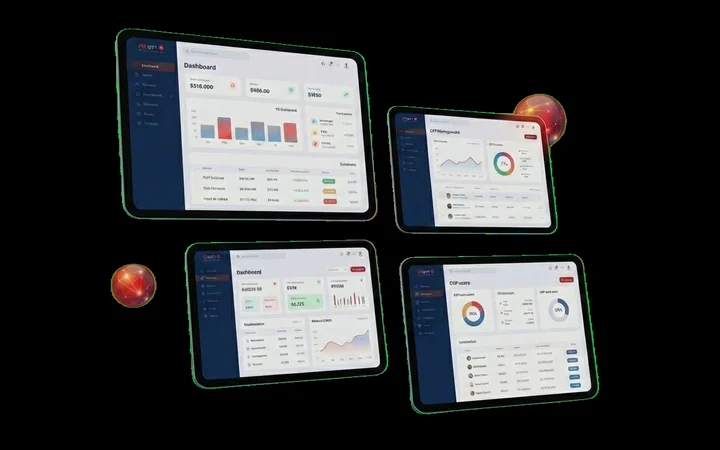
Week one is the assessment, and nothing gets built yet. We inventory the process end to end, sit with the person who actually does it today, and measure a real manual baseline — hours spent, error rate, exception frequency — signed off before a single line of the workflow exists. This is the step most vendors skip, and it is the reason their after-launch numbers can't survive a skeptical CFO's questions. Weeks two through four are the build itself, on the n8n + LLM stack: the workflow logic, the integrations into whatever systems the process touches (ERP, CRM, WhatsApp Business API, shared drives), and — critically — an evaluation suite for every step where the AI is making a decision rather than following a fixed rule, run against real Arabic and English documents from your own operation, not generic test data.
Every build ships with an exception queue by design: anything the system is not confident about routes to a human, so judgment stays with your team rather than being silently guessed at. That queue is not a fallback bolted on at the end — it is designed alongside the happy path from day one, because the difference between a workflow that survives contact with messy real-world documents and one that breaks silently is almost always whether uncertainty was planned for. At handover you get the workflow running in n8n (self-hostable in your own infrastructure, so you own the workspace outright), the hours-saved dashboard already populated and live, and a runbook explaining what the system does and what to do when it misbehaves. The next 30 days run on live volume specifically so that first dashboard reading is real, not projected.
Launch is the beginning: why the ops retainer is not optional
A workflow that works perfectly on launch day and is never touched again is a demo with a countdown timer, not production automation. Model providers deprecate APIs and change pricing. Your suppliers redesign their invoice template without warning. A customer starts sending WhatsApp messages in a dialect or phrasing pattern the evals didn't cover. An ERP vendor pushes an update that changes a field name. None of these are edge cases — they are the normal lifecycle of any system that touches the outside world, and they are exactly what an ops retainer exists to catch before they become silent failures. It covers monitoring and exception-rate alerts, re-running the evaluation suite whenever a model or prompt changes, migrations when a provider deprecates a model you depend on, fixes when a counterparty changes a document format, and a monthly report with a review call — the same report format the dashboard was already producing, just with a human checking it against reality every month.
This is also, deliberately, priced and scoped so you are never trapped. n8n is open-source, you own the workspace and every workflow inside it, and the retainer is cancelable after month three — it exists because the expertise to keep an AI system healthy is a real, ongoing cost, not because we've built in a dependency you can't escape. If you leave, the workflow keeps running; your own team or another vendor can pick up the runbook. That is the honest version of what a Gulf company should expect when it automates a process with AI: a discovery call that might turn you away, one process chosen deliberately, a measured build of a few weeks, and a retainer that keeps the number on the dashboard true for as long as you want it to run.
Ready to Implement AI in Your Business?
Start with one process. We'll scope it on a call.
A discovery call, a measured baseline, a 2-4 week build, and an ops retainer that keeps it running. See how it applies to the process eating the most hours in your business.

- Free Scoping Call
- Initial Engineering Consult
- Zero Commitment
Frequently asked questions
Budget about five to six weeks end to end: the discovery call itself takes under an hour, the assessment week measures your real baseline, and the build runs two to four weeks depending on how many systems it touches and how many AI decision steps need evaluation suites. After that, the workflow runs on live volume for 30 days before you get your first defensible before-and-after report. Companies that need something faster usually need a simpler tool like Zapier, not an AI decision layer.
Because a broad scope is exactly the pattern behind most failed AI pilots: nobody can isolate which change caused which result, and problems compound instead of surfacing early. Automating one high-volume, measurable process first gives you a clean baseline and a clean number, and gives us a controlled place to catch integration issues before they touch a second or third system. Once the first workflow is proven on your own data, expanding is a fast, low-risk conversation.
You can, after month three. The workflow runs on n8n, which is open-source, and you own the workspace and everything in it — nothing stops working the day you cancel. What you lose is the ongoing monitoring, the evaluation re-runs when a model or prompt changes, and the migrations we handle when a provider deprecates something you depend on. Some clients cancel and maintain it internally once their team is comfortable; most keep the retainer because the monthly report is what justifies the invoice to their own finance manager.
Yes — that is the specific gap most automation vendors and templates fail on. We build and test evaluation suites in both Arabic and English against your own real documents, including scanned and mixed-language files, and workflows can read and respond to Gulf-dialect and Arabizi WhatsApp messages using your live data rather than a generic script. This is the reason a Gulf company usually gets better results from a regional builder than a Western template or a global no-code agency.